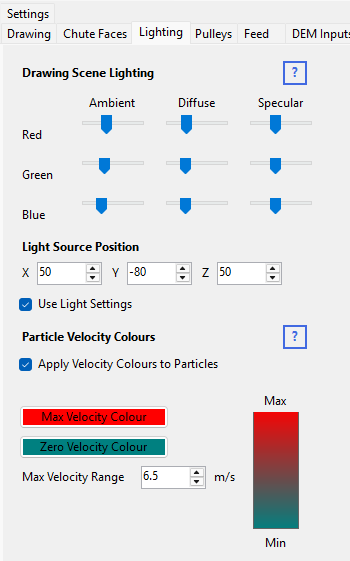
Particle Velocity Colours
You can colour particles by their current velocity rather than a fixed colour – useful for spotting where particles are moving fastest (e.g. at pulley discharge) or slowest.
Set this up on the Lighting tabsheet:
- Click the Zero Velocity Colour button and choose a colour for particles at rest.
- Click the Maximum Velocity Colour button and choose a colour for particles at or above the maximum speed.
- Enter the Maximum Velocity (m/s) that the colour scale should reach.
- Switch Apply Velocity Colours to Particles on.
The program then shades each particle's colour according to its current speed, between the two colours you chose. Switch this option off to use the fixed particle colour set on the Feed tabsheet instead.