Draw Loading Boot
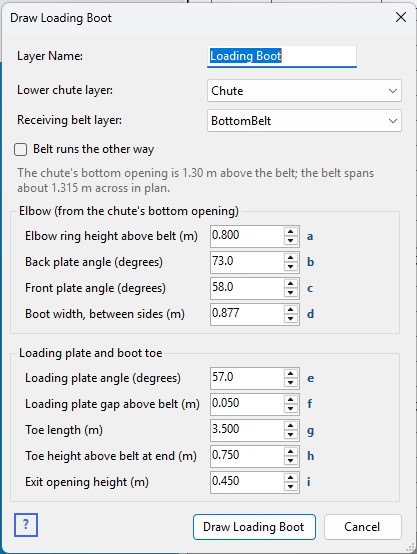
Right-click the Layers table on the Chute Faces tabsheet and choose Draw Loading Boot... to add the loading boot: the enclosure between the bottom of the lower chute and the receiving belt, where material is loaded onto the belt and brought up to its speed.
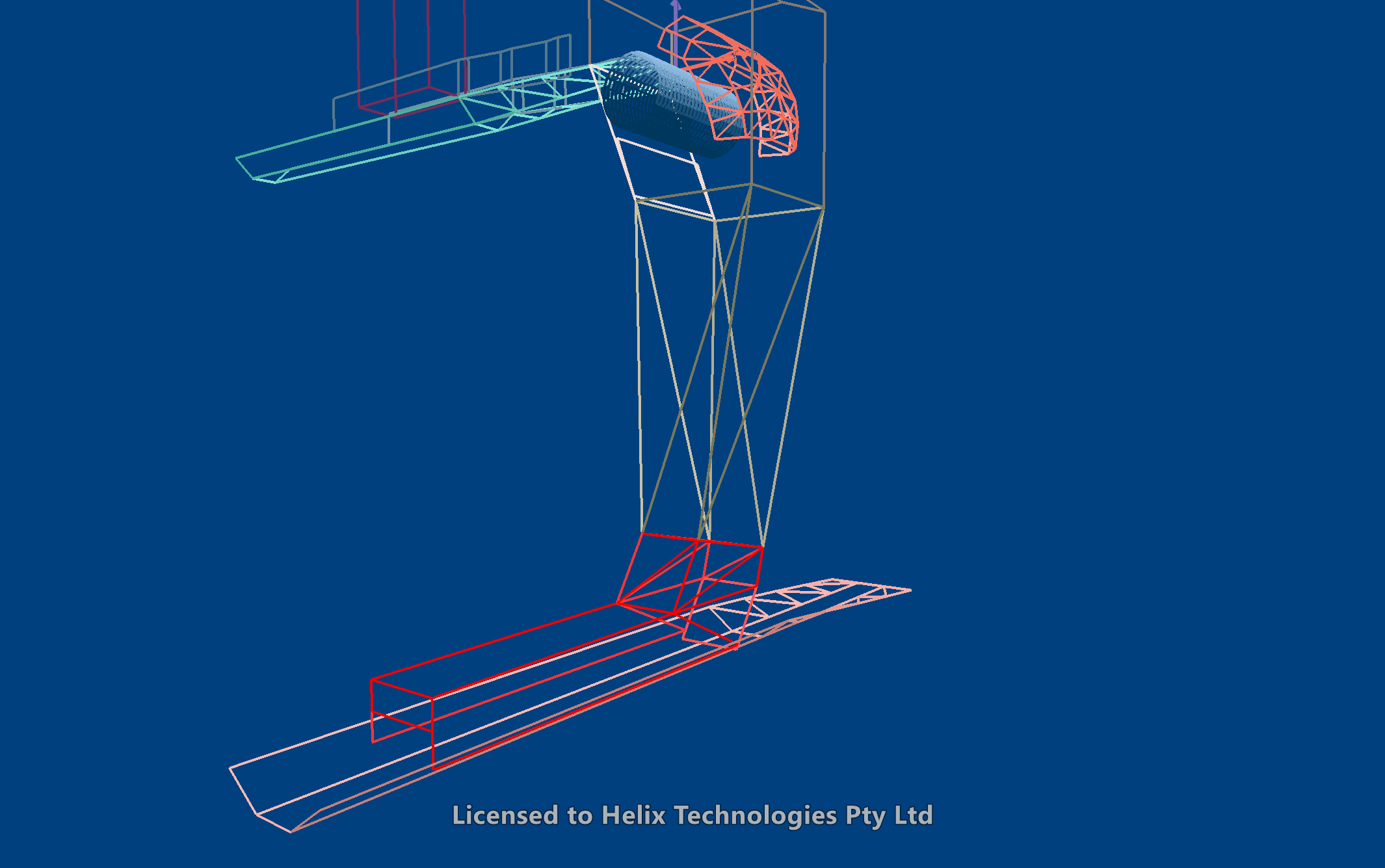
What it draws
Working in the direction the receiving belt travels:
- Elbow – a short section from the lower chute's bottom opening down to the level where the boot proper starts, narrowing to the boot's width. Its back and front plates slope forward, giving the bend from the chute into the boot.
- Loading Plate – at the back of the boot, steeply angled down and forward until it almost touches the belt at its centre. It steers the material so that it reaches the belt already moving in the direction of travel, and it stops material flowing backwards – essential on a steeply inclined belt, where material would otherwise run back down it (back flow).
- Side panels – at each side, standing on the belt's wings, under the loading plate and along the toe. In the toe they are, in effect, the skirts.
- Boot toe – the covered section over the loading area: a Toe Lid running forward from the elbow, sloping down, and a Toe End plate that closes it down to the exit opening the loaded belt leaves through. The toe contains spillage and dust; on a real boot its lid usually carries the dust extraction connections.
The elbow's sides are drawn as triangles so every face is flat; everything faces into the boot.
Dimensions
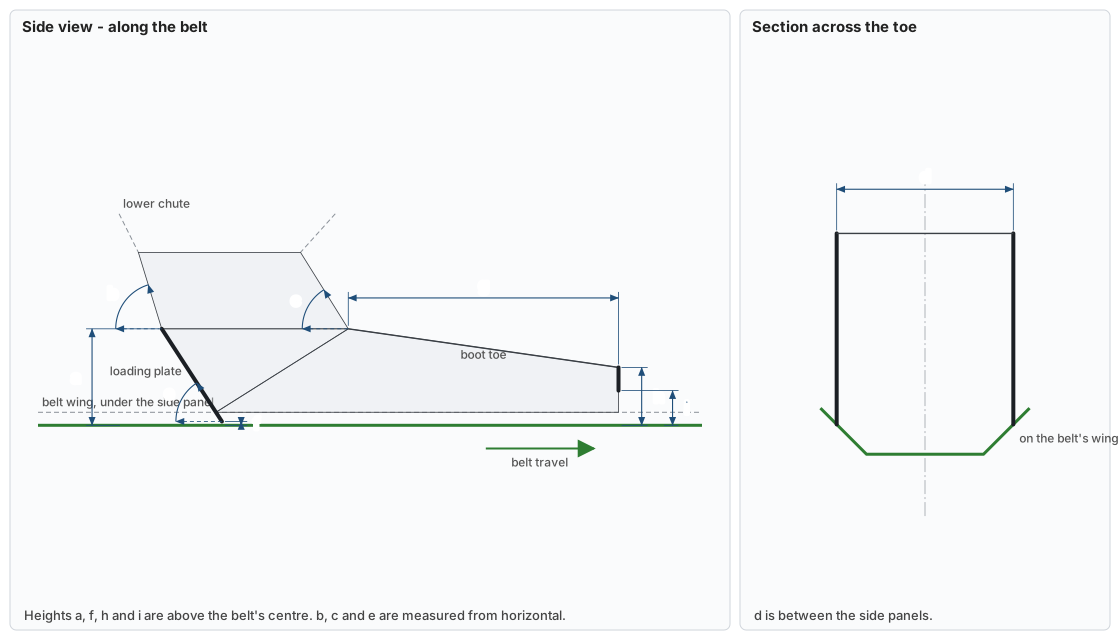
The small letters beside the input boxes match the dimensions on this drawing. The defaults are the proportions of the loading boot in Demo 10 Inline Coal Transfer 6600tph.
| Letter | Input | What it measures |
|---|---|---|
| a | Elbow ring height above belt | Where the elbow ends and the loading plate and toe lid start, above the belt's centre. This sets the boot's volume – see below. |
| b | Back plate angle | The elbow's back plate, from horizontal. |
| c | Front plate angle | The elbow's front plate, from horizontal. |
| d | Boot width | Between the side panels. Suggested at two thirds of the belt's width across in plan, as for skirts, until you set it. |
| e | Loading plate angle | From horizontal. |
| f | Loading plate gap above belt | Between the loading plate's bottom edge and the belt's centre. |
| g | Toe length | From the elbow's front to the end of the toe, along the belt. |
| h | Toe height above belt at end | The toe lid's height at its end, above the belt's centre. |
| i | Exit opening height | The Toe End plate's bottom edge, above the belt's centre – the height of the opening the loaded belt leaves through. |
Choosing the chute and the belt
- Lower chute layer defaults to a layer called Chute, as Draw Lower Chute names it. The boot hangs from that layer's bottom opening, read from its own faces – its four lowest corners – so a chute drawn by hand works too.
- Receiving belt layer defaults to whichever layer lies directly under the chute's bottom opening. Every height is measured from the belt's real surface, so the boot follows an inclined belt; the side panels stand on its wings.
- The boot runs in the belt's direction of travel, taken from the belt layer's velocity (Vx, Vy), or along its length if that isn't set. Tick Belt runs the other way to reverse it.
The dialog shows how high the chute's opening is above the belt. If the boot can't be drawn – the elbow ring would be above the chute's opening, the boot runs off the belt, or the plates don't meet – it says why and stays open.
Boot height and volume
Material arriving in the boot has to be accelerated up to belt speed, and while it is, it takes up room. The boot has to be big enough to hold it. If it isn't, at a high feed rate the boot fills, material builds up back into the lower chute, and eventually the whole transfer blocks.
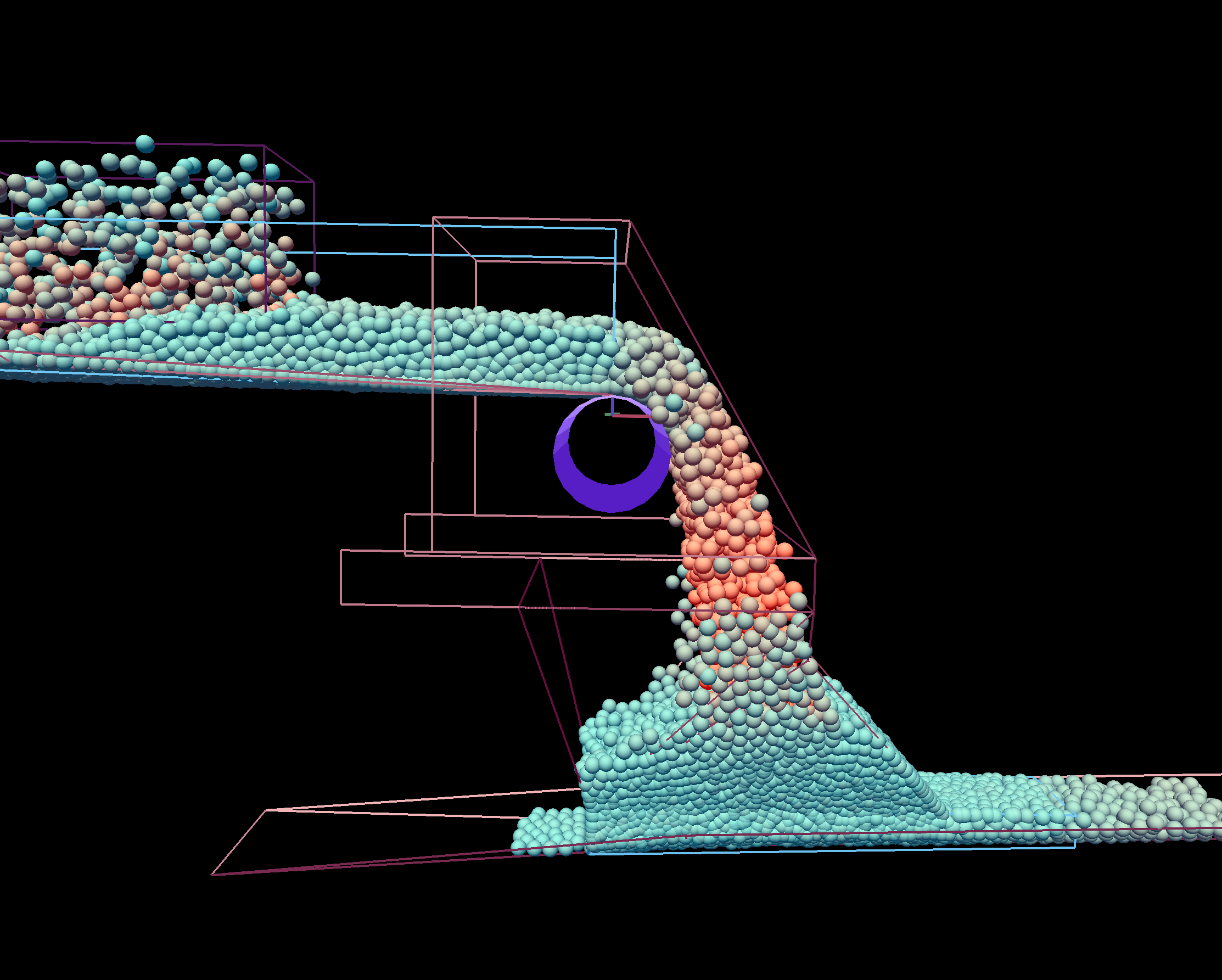
Demo 11 Inline Chute Blocks 8000tph shows exactly this. Its loading boot (drawn by hand, on its skirt layer) has its top only about 0.6 m above the belt, and no loading plate; at a high enough feed rate it fills and the transfer blocks. Demo 10 Inline Coal Transfer 6600tph, by contrast, has its elbow ring about 1.25 m above the belt, an elbow in two sloping sections and a steep loading plate – the proportions this tool starts from.
Like the other Draw tools, the dialog reopens with the values you last used, and drawing again with the same Layer Name asks whether to replace the existing boot or add to it.