Draw Skirts
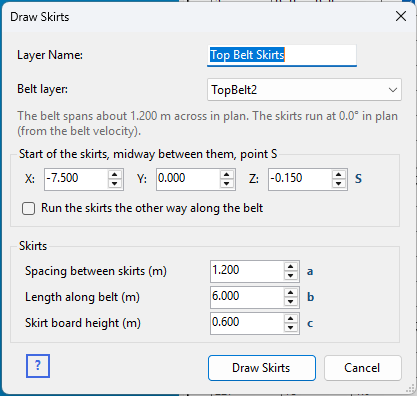
Right-click the Layers table on the Chute Faces tabsheet and choose Draw Skirts... to add a pair of skirt boards along a belt – the two vertical boards either side of the loading zone that keep material on the belt while it settles to belt speed.
What it draws
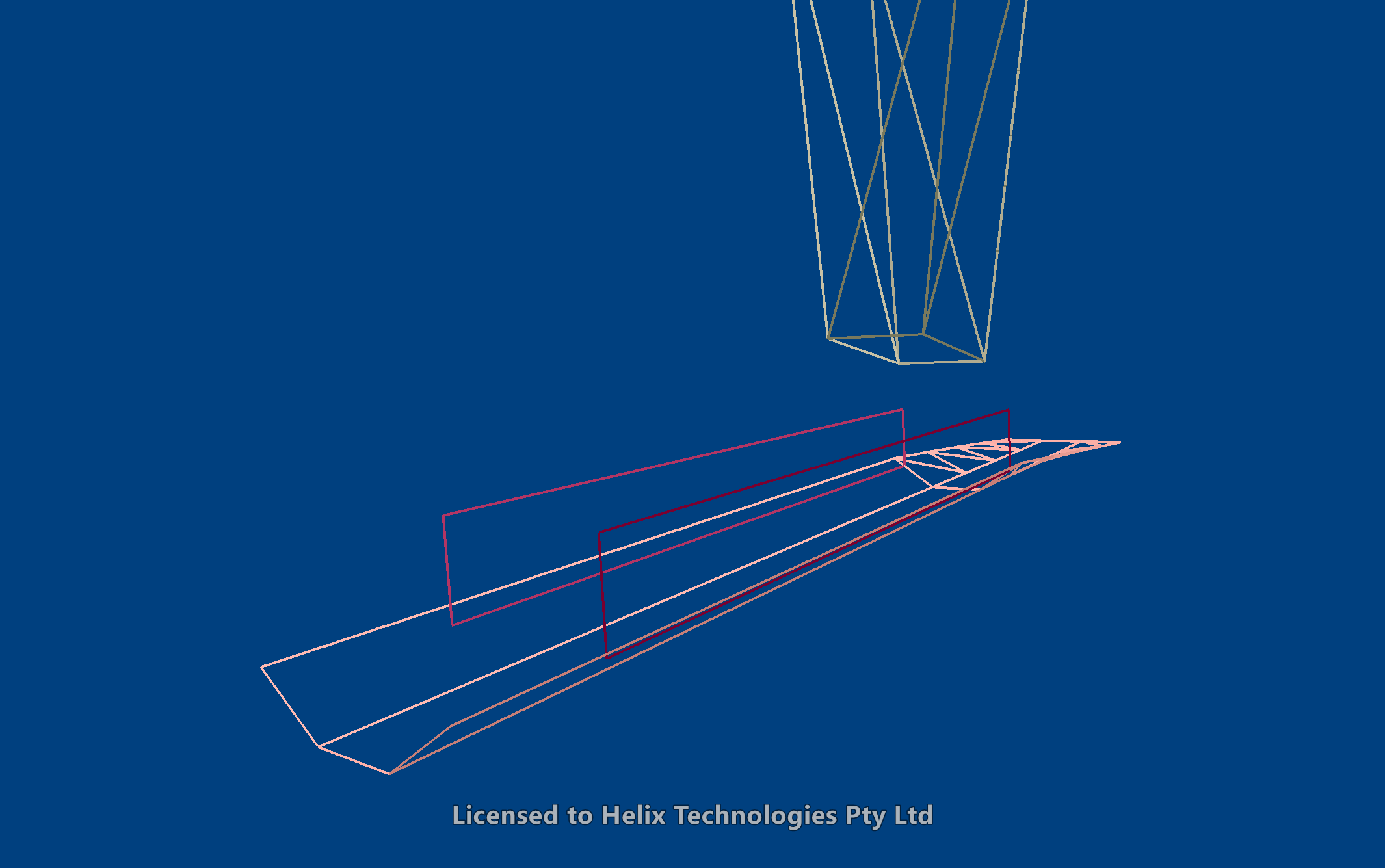
Two skirt boards, Skirt Left and Skirt Right (left and right as seen looking along the skirts' direction), in a layer of their own. Each board stands over the belt's wing, its bottom edge just touching the belt surface, so it follows the belt's slope or incline – and, where the skirts run into a transition, the change of shape too. A board along a straight run is one face; one that runs into a transition is drawn in several flat pieces, following the belt. Both face inward, toward the material between them.
Dimensions
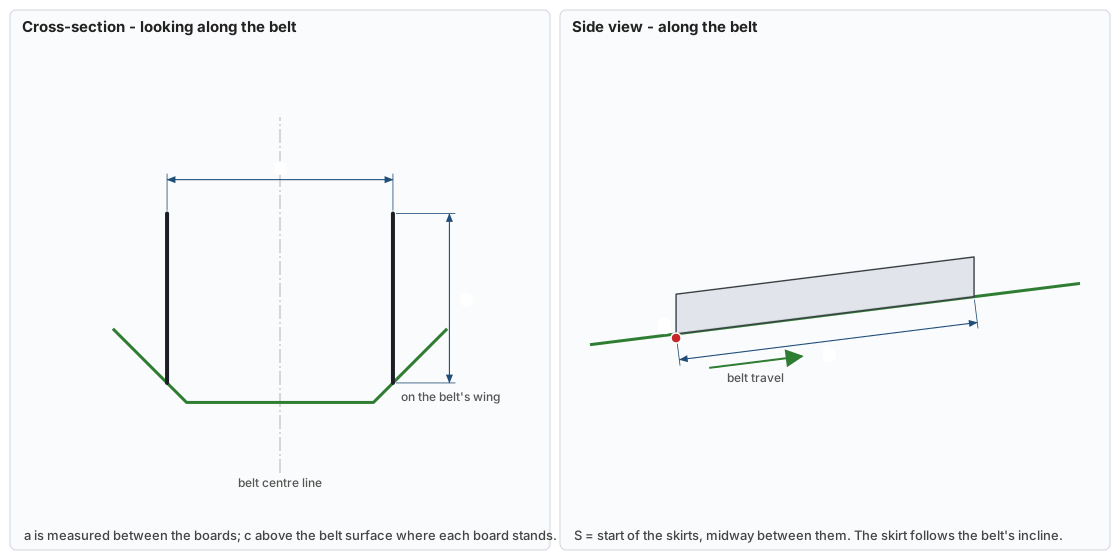
The small letters beside the input boxes match the dimensions on this drawing.
| Letter | Input | What it measures |
|---|---|---|
| S | Start X, Y, Z | Where the skirts start, midway between them – normally a point on the belt's centre line at the loading point. Z only matters if the belt passes over itself: the skirts always sit on the belt surface. |
| a | Spacing between skirts | Across the belt, between the two boards. Suggested at two thirds of the belt's width across in plan, until you set it. |
| b | Length along belt | How far the skirts run from S, along the belt. |
| c | Skirt board height | Above the belt surface where each board stands. |
Choosing the belt
Belt layer lists every layer in the drawing. Pick the belt the skirts stand on: one drawn with Draw Belt, an imported one, or one drawn by hand all work, because the skirts are fitted to the layer's actual faces.
- Direction. The skirts run from S in the belt's direction of travel, taken from the layer's belt velocity (Vx, Vy in the Layers table). If the layer has no velocity yet, they run along the belt's length instead – the dialog says which. Tick Run the skirts the other way to reverse them.
- Width. The dialog shows how wide the belt is across, in plan, at the start point: for a troughed belt that is its projected width, narrower than the flat belt. Published guidance sets skirts and chute openings from the projected width, which is why the suggested spacing is two thirds of it.
- Start point. Picking a belt puts S on its centre line near the end it runs from, as a starting point to adjust.
Like the other Draw tools, the dialog reopens with the values you last used, and drawing again with the same Layer Name asks whether to replace the existing skirts or add to them.