Draw Discharge Trajectory
Right-click the Layers table on the Chute Faces tabsheet and choose Draw Discharge Trajectory... to draw the path the material takes as it leaves the belt at the head pulley. Two curves are drawn in the 3D view: one from the belt line and one from the top of the material on the belt. Together they bound the stream.
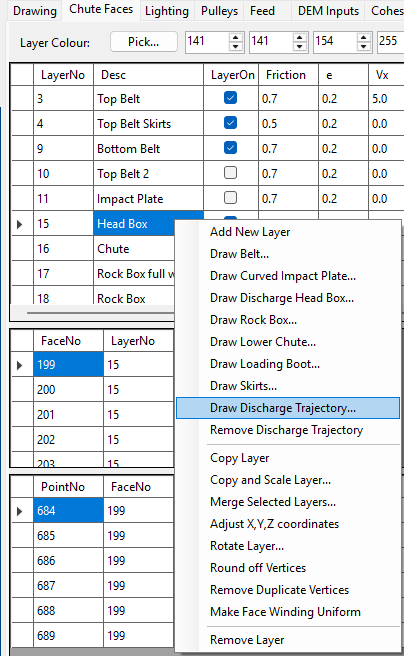
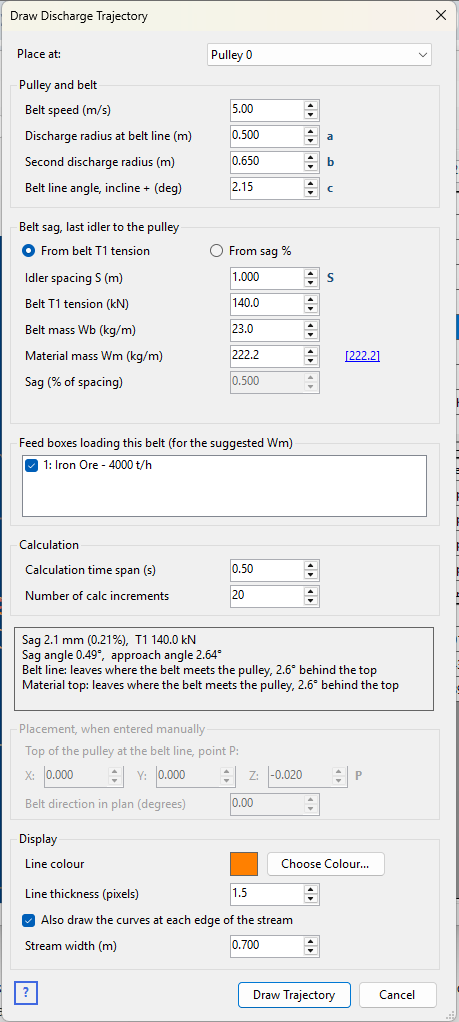
Use the trajectory to set out the head box, the impact plate or rock box, and the chute below: where the stream lands, and how far forward of the pulley it travels as it falls. It is also a check on the DEM calculation – the particles leaving the pulley should follow much the same path.
The calculation
This is the same calculation as the Discharge Trajectory in Helix DeltaT, which follows CEMA's method (Belt Conveyors for Bulk Materials, 2nd edition, p. 280):
- Belt sag. Between the last carry idler and the pulley the belt sags under its own weight and the material's. The sag tips the belt up a little more as it arrives at the pulley, so the approach angle is the belt line angle plus the sag angle.
- Where the material leaves the pulley. Material stays on the belt while gravity can still pull it round the pulley's curve, and leaves once it cannot. A fast belt throws the material off where the belt first meets the pulley; a slow belt carries it some way round the front of the pulley first.
- The path. From there the material moves in a free-fall curve under gravity alone, starting at the belt speed along the pulley's tangent. Air drag and the material's stickiness (adhesion to the belt) are left out, as in CEMA's method.
The calculation is made twice, from the belt line radius a and from the top of the material b. The dialog shows the sag, the sag and approach angles, and where each curve leaves the pulley as you type.
Dimensions
The small letters beside the input boxes match the dimensions on this drawing.
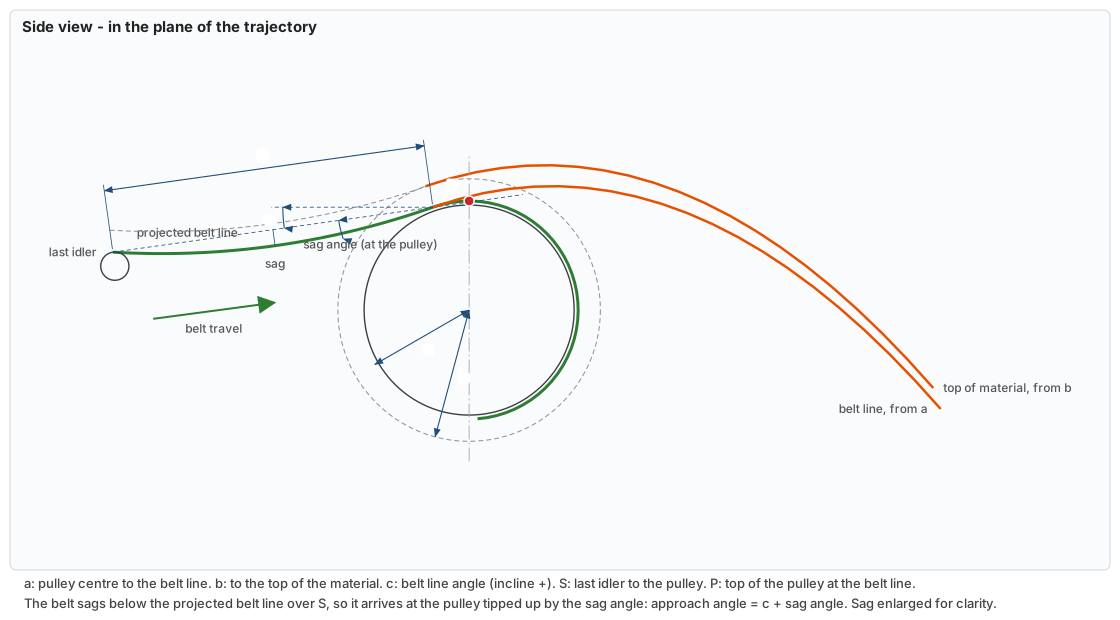
Between the last idler and the pulley the belt is shown twice. The dashed straight line is the projected belt line, at the belt line angle c. Beneath it is the belt as it really hangs: it sags between the idler and the pulley, in a catenary curve, and so arrives at the pulley tipped up by the sag angle. The approach angle used for the trajectory is c plus the sag angle. The sag is drawn much larger than a real one, which is only a few millimetres, so that it can be seen.
| Letter | Input | What it measures |
|---|---|---|
| a | Discharge radius at belt line | From the pulley centre to the belt's top surface: the pulley radius (including lagging) plus the belt thickness. |
| b | Second discharge radius | From the pulley centre to the top of the material on the belt: a plus the depth of material. |
| c | Belt line angle | The conveyor's slope arriving at the head pulley: positive for an inclined conveyor climbing to it, negative for one running down to it, 0 for level. |
| S | Idler spacing | From the last carry idler to the head pulley. |
| P | Point P (X, Y, Z) | The top of the pulley at the belt line, straight above the pulley centre. Entered only when placing the trajectory by hand. |
The inputs
| Input | What it is for |
|---|---|
| Place at | Where the trajectory starts: a head box drawn by Draw Discharge Head Box, a pulley from the Pulleys tabsheet, or <enter manually> to give point P and the belt direction yourself. Choosing a pulley also sets the belt line radius a to the pulley's radius. |
| Belt speed | At the head pulley, in m/s. |
| Belt sag | Choose From belt T1 tension or From sag % – see Belt sag below. |
| Belt mass Wb, Material mass Wm | The load on the belt between the last idler and the pulley, in kg per metre. Beside Wm is a figure worked out from the feed rate and the belt speed, Wm = Q / (3.6 × v), with Q in t/h – click it to use it. |
| Feed boxes loading this belt | The feed boxes that are on, each with its feed rate. Only the ticked ones count towards the suggested Wm. All start ticked; untick any that load a different belt in the project. |
| Calculation time span | How long after leaving the pulley to follow the stream, in seconds. Make it long enough for the curves to reach below the chute. |
| Number of calc increments | How many steps the time span is split into – the number of straight pieces in each curve (at most 500). |
| Belt direction in plan | The direction of belt travel, in degrees counter-clockwise from +X, as on Draw Discharge Head Box. Entered only when placing the trajectory by hand. |
| Line colour, Line thickness | How the trajectory is drawn in the 3D view: press Choose Colour... to pick its colour, and set its thickness in pixels. Both are saved with the trajectory. |
| Draw the curves at each edge of the stream | As well as along the centre of the belt, draw both curves at each side of the stream, a Stream width apart, to show its width in the 3D view. |
Belt sag
The sag can be given in either of two ways:
- From belt T1 tension, as in DeltaT: the sag is worked out from the belt tension at the head pulley, the belt and material masses, and the idler spacing: sag = (Wb + Wm) × g × S² / (8 × T1).
- From sag %, when T1 isn't known: enter the sag as a percentage of the idler spacing. If Wb and Wm are filled in, the dialog shows the tension that would give that sag, so the two can be compared.
In the 3D view
The trajectory is drawn in the line colour and thickness chosen in the dialog (orange to start with), in the vertical plane through the pulley centre along the direction of belt travel, with a grey circle for the pulley in the same plane. The edge curves, if shown, are a paler shade of the same colour. The curves are plain lines, not faces: particles pass straight through them, and they are not part of any layer.
- Inside a head box the curves are hidden by its faces – use the Line or Transparent display mode to see them. See Drawing Settings.
- Untick Show Trajectory on the Drawing tabsheet to hide them.
- They appear in Copy Image, Save Image and recorded videos.
Comparing it with the DEM calculation
With a trajectory drawn, run the DEM calculation and the particles leaving the pulley can be compared with the two curves. They should follow much the same path, but they spread out around it.
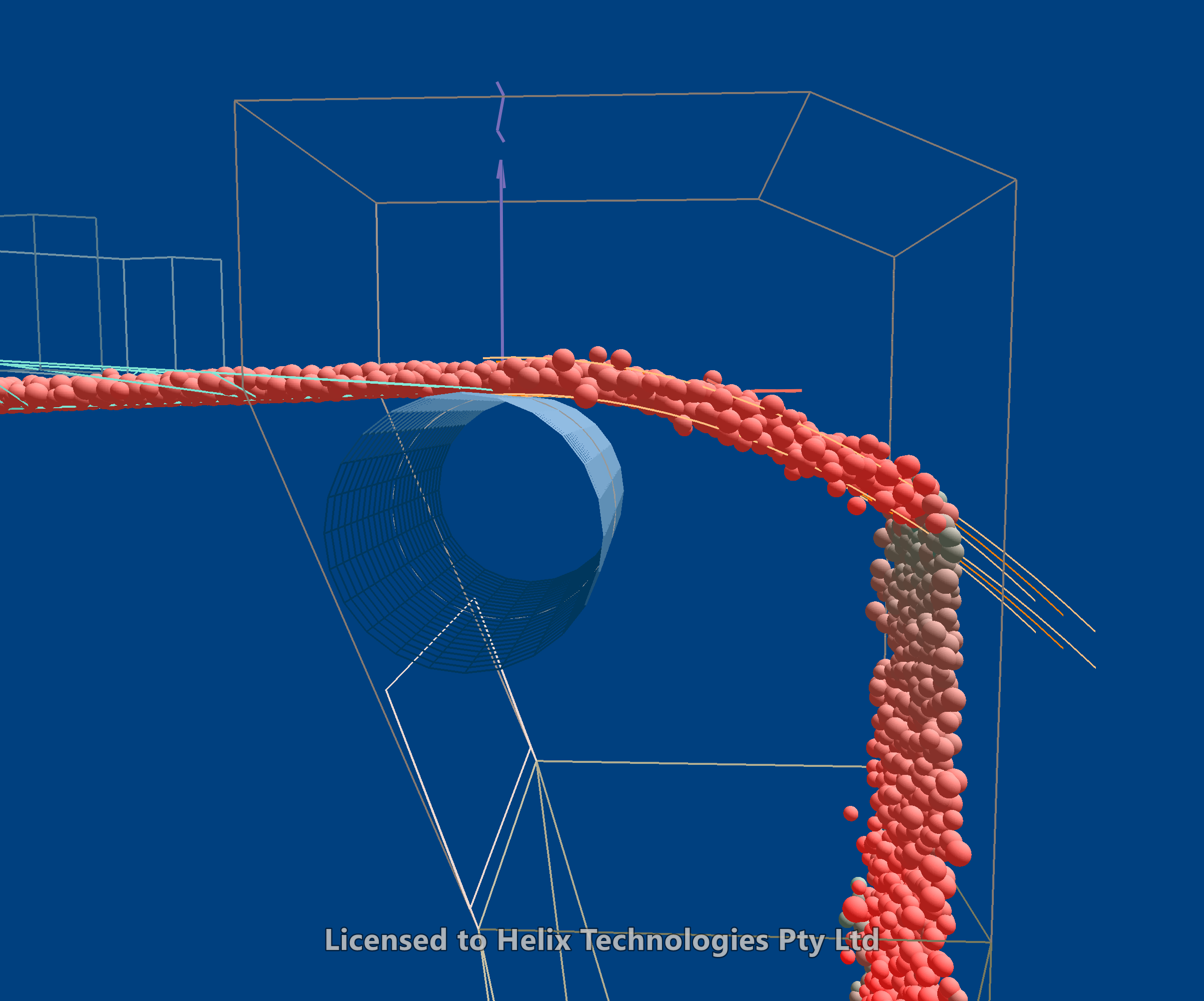
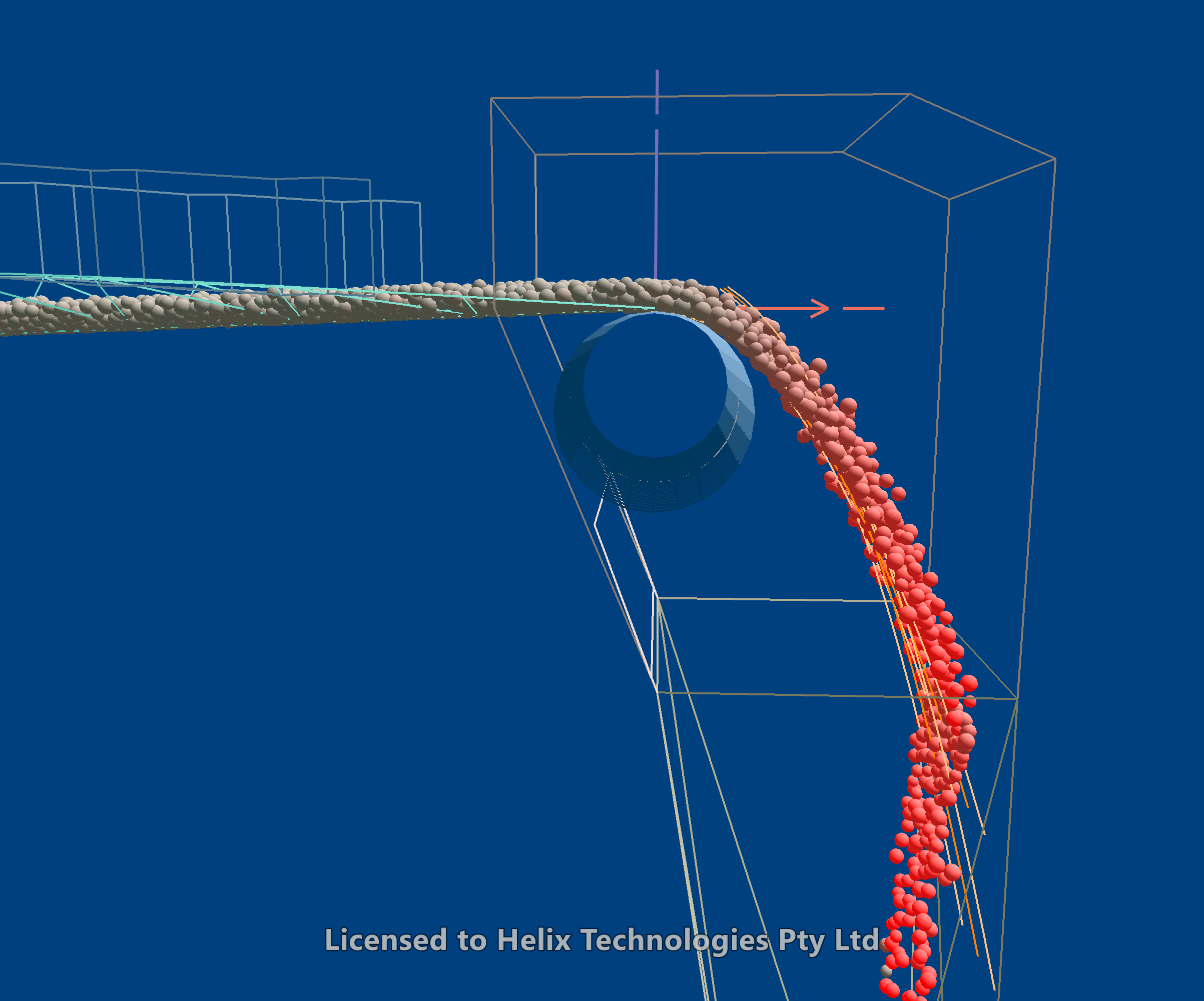
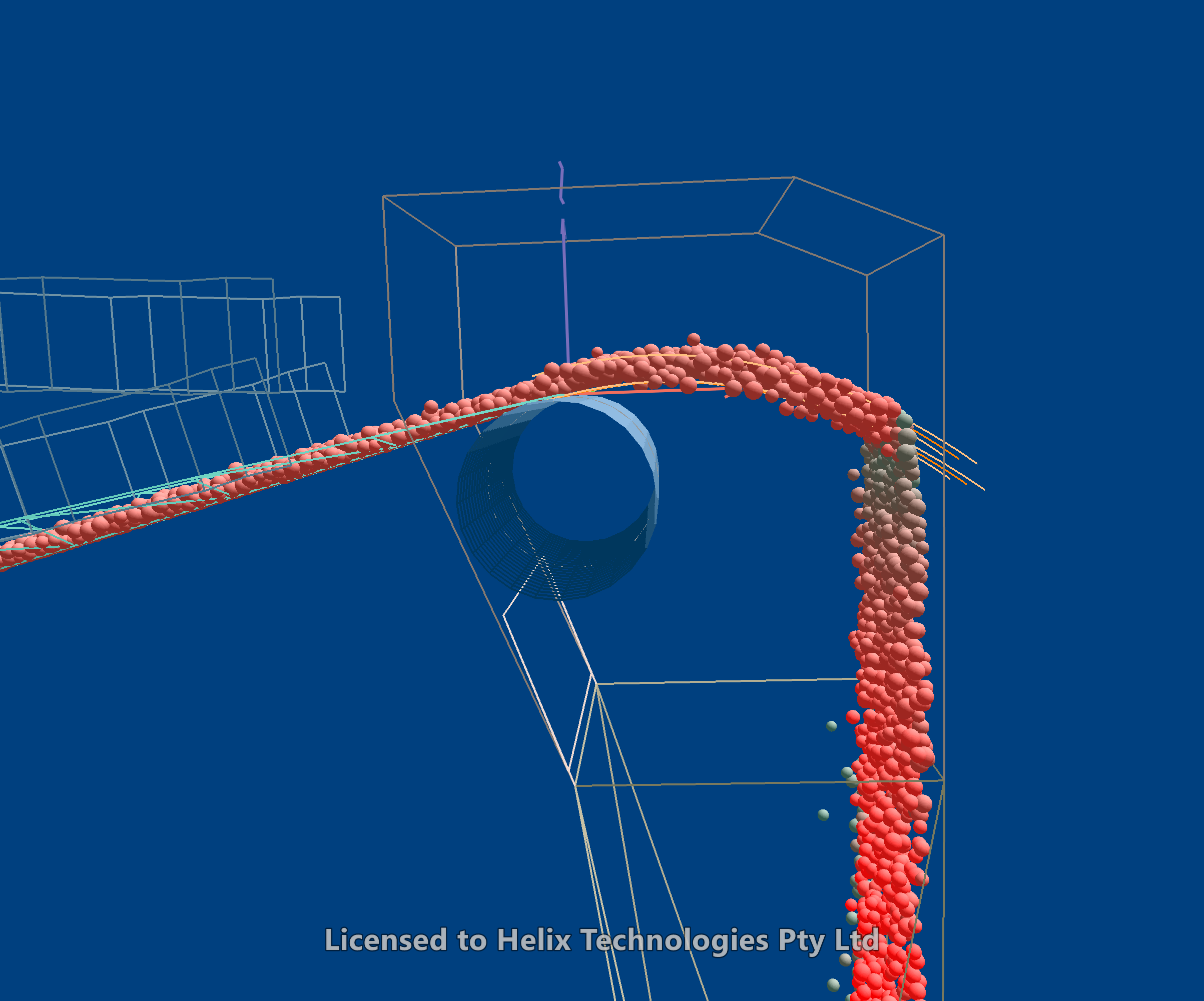
The three pictures are the same transfer at the same discharge rate:
- First: the belt and pulley at 5.0 m/s, on a level belt.
- Second: the belt and pulley at 2.5 m/s. The stream is thrown a much shorter distance forward of the pulley and falls more steeply into the head box.
- Third: the belt and pulley at 5.0 m/s again, with the belt climbing to the pulley at a 15° approach angle. The stream leaves the pulley still rising, carries on up over it, and is thrown higher before it falls.
In each, the trajectory curves follow the stream – the belt speed and the approach angle both have a large effect on where the stream goes.
The trajectory curves follow a single particle at the belt line and one at the top of the material, each moving on its own. In the DEM calculation the particles collide with each other as they ride round the pulley and leave it, and those collisions scatter them above, below and to the sides of the curves. A smaller DEM time step can reduce the spread, at the cost of a longer calculation run time – see DEM Inputs and Settings.
Changing or removing it
A project has one discharge trajectory. Choose Draw Discharge Trajectory... again to change it – the dialog opens with its inputs – and Remove Discharge Trajectory on the same menu to remove it.
The trajectory is saved in the project file: its inputs, and the calculated points of each curve for reference. When the project is opened the curves are worked out again from the inputs. The legacy program can still open a project with a trajectory in it, but drops the trajectory if it saves the file.