Draw Discharge Head Box
Right-click the Layers table on the Chute Faces tabsheet and choose Draw Discharge Head Box... to build the enclosure around a conveyor's head pulley – the box that contains the discharging stream and turns it down into the transfer chute.
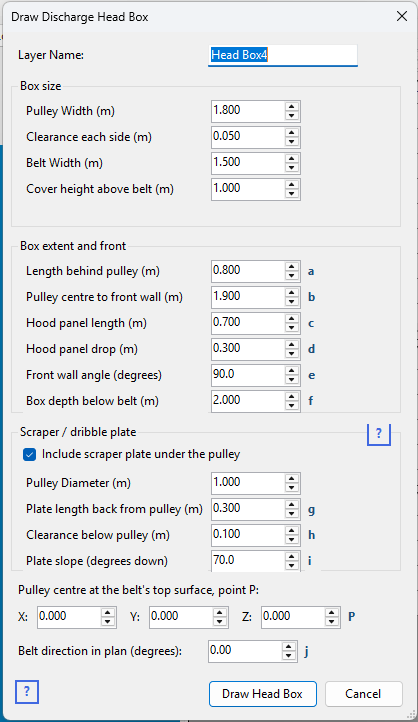
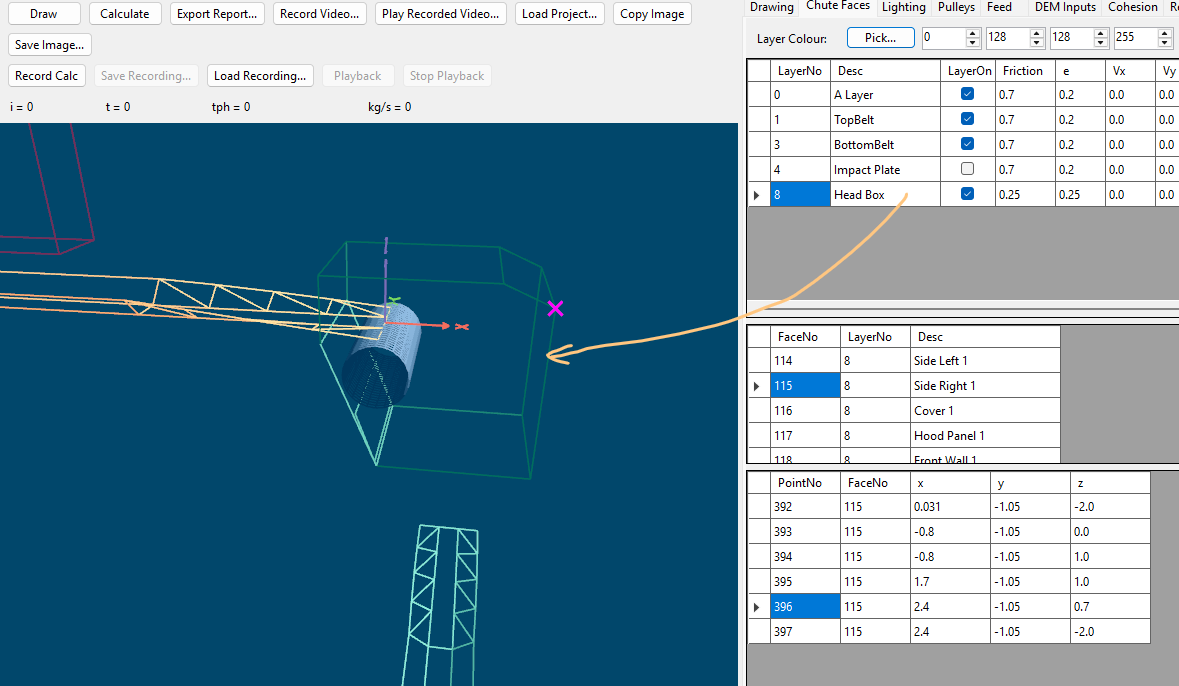
The Drawn Head Box is shown in the image below.
Dimensions
The small letters beside the input boxes match the dimensions on this drawing. Pulley width, clearance each side, belt width, cover height and pulley diameter are self-explanatory and have no letter.
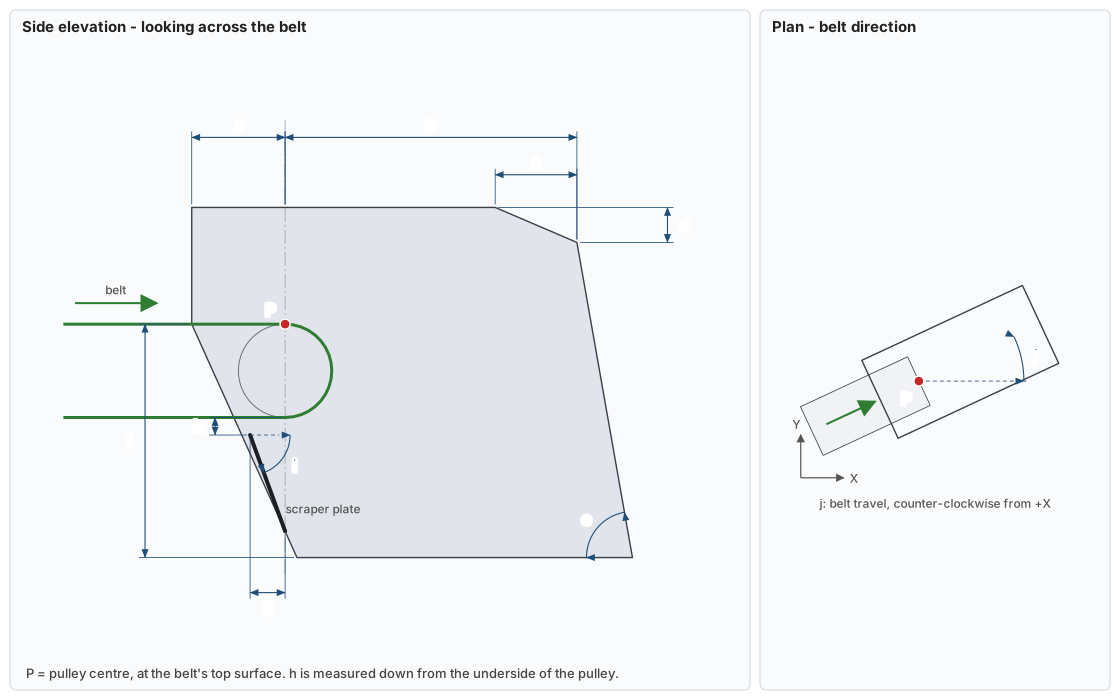
| Letter | Input | What it measures |
|---|---|---|
| a | Length behind pulley | From the pulley centre line back to the back of the box. |
| b | Pulley centre to front wall | From the pulley centre line forward to the top of the front wall. |
| c | Hood panel length | The hood (hatch) panel, measured back from the front wall. |
| d | Hood panel drop | How far the hood falls from the cover to the top of the front wall. |
| e | Front wall angle | The front wall's angle from horizontal, inside the box. 90° is plumb. |
| f | Box depth below belt | From belt level down to the box's open bottom, where the lower chute connects. |
| g | Plate length back from pulley | The scraper plate's run back from the pulley centre line to its top edge. |
| h | Clearance below pulley | The gap from the underside of the pulley down to the scraper plate's top edge. |
| i | Plate slope | The scraper plate's slope down from horizontal. |
| j | Belt direction in plan | The direction of belt travel, counter-clockwise from +X. |
| P | X, Y, Z | The pulley centre, at the belt's top surface. |
What it draws
Six faces, each on its own row in the Faces table so you can adjust any one of them afterwards:
- Side Left and Side Right – the side plates, following the outline of the box from the back, over the pulley and down the front.
- Cover – the flat top, from the back of the box forward to where the hood begins.
- Hood Panel – a short sloping panel at the front of the cover. This carries the access and inspection hatch, which is what sets its size.
- Front Wall – the steep wall below the hood, running down to the bottom of the box.
- Back Wall – closes the box below the belt, leaning in as it drops so that it passes through the low edge of the scraper plate.
Optionally a seventh, the Scraper Plate, below the pulley.
The box has no floor — the belt is the floor — and is left open at the bottom. That opening is where the lower chute connects, and Draw Lower Chute reads it straight off this box's faces so the two cannot disagree about where they meet. Draw the box first.
Fields
- Pulley Width and Clearance each side – the box has to clear the pulley, which is wider than the troughed belt inside it, so the width is given as the pulley plus a clearance rather than as a finished dimension.
- Belt Width – used only to suggest a cover height of two thirds of belt width. It is not part of the drawn geometry; set the cover height directly to override it.
- Cover height above belt – how far the flat top sits above the belt surface.
- Length behind pulley – how far back the side plates reach. Set this to clear the rear of the pulley. It also has to cover the nip points at the head and snub pulleys – a safety requirement as much as a flow one.
- Pulley centre to front wall – where the front wall stands. This sets the size of the box, and is the dimension to get right first: the box has to leave room inside for a curved impact plate, so it reaches well past both the pulley and the discharge trajectory. On a 1.5 m belt carrying a 1500 impact plate, around 2.5 m.
- Hood panel length and drop – the size and slope of the hatch panel, measured back from the front wall.
- Front wall angle – the wall below the hood. It defaults to 90°, plumb. Reduce it to lean the wall out over the chute, raise it to lean back in over the pulley.
- Box depth below belt – how far the box carries on below belt level, which sets where the lower chute picks it up.
The scraper plate
Belt scrapers on the underside of the pulley remove carryback that would otherwise fall outside the chute. The scraper plate sits below them and slopes forward so that material joins the main stream instead of building up under the pulley.
Pulley Diameter sets how far below belt level the plate starts, and Clearance below pulley holds it that much further down again – the plate must not sit hard against the pulley, or there is nothing left for the belt's own thickness or for the flap of a belt that is not running perfectly true.
Placing it
The origin is the pulley centre, at the belt's top surface, and Belt direction in plan turns the whole box about that point – 0° runs along +X. Match the direction to the belt the box sits on.
If it does not land quite where you want, the box is an ordinary layer once drawn: use Adjust X,Y,Z coordinates and Rotate Layer to position it.